The SMT tool offers reporting capability for admins and company employees. Click on the main menu link "Reports" to access them.
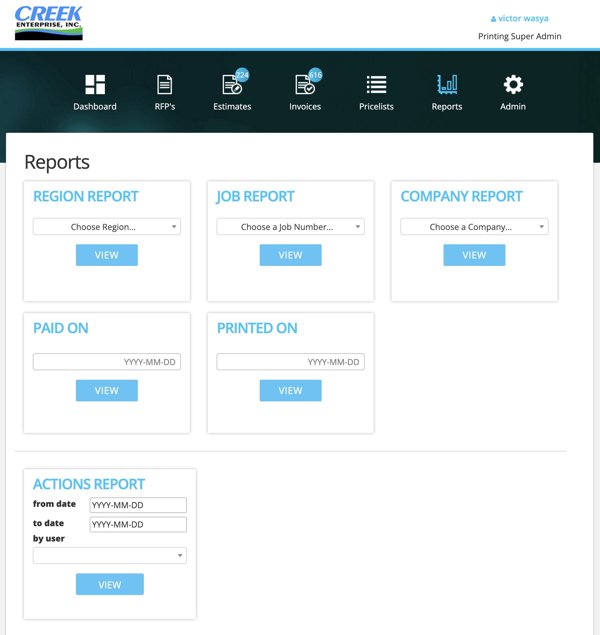
The following reports are available:
by-region
Select the region to view a report. The report includes all active invoices, estimates in this region.
by-job
Select the job number to see all estimates, invoices associated with it.
by-company
Select a company to view the report of estimates, invoices for subcontractors of this company.
by paid-on date
Select a date to see invoices paid on this date.
by printed-on date
Select a date to see invoices printed on this date.
actions report
Select from-date, to-date, and a user, to see actions taken by this user between these dates. The user is either a company employee or a subcontracting employee.
The generated reports are in csv format. If you need to generate reports in pdf format, please request that feature and we will add it. Please note: a feature is not added until there is sufficient need for that feature.
Back to list of features.